Marriage biodata photo: size, rules & what actually works
On a marriage biodata, the photo is the very first thing anyone reads — before your education, family or values. A blurry, cropped or dated photo quietly gets the whole biodata set aside. Here’s exactly what a strong biodata photo looks like, the right size and placement, and how to get one without an expensive photoshoot.
The 5 rules of a strong biodata photo
1.A recent, clearly-visible face
The biodata photo is a stand-in for a first meeting. It must be recent (within a year), sharp, and show your face plainly — no extreme angles, no sunglasses, no heavy filters. Families are quietly asking one question: “does this person look kind and honest?”
2.Soft, natural light
Tube-light rooms and phone flash flatten the face and dull the skin. Soft light near a window or outdoors in shade is what makes a biodata photo look “studio.” Light matters more than the camera.
3.Neat, well-fitted clothes
Traditional wear or smart formal both work — what matters is that it’s clean, well-fitted and appropriate. The biodata photo is judged on presentation as much as looks, so “put together” beats trendy.
4.A plain, uncluttered background
A calm, simple backdrop keeps the focus on you. Messy rooms, doorways and distracting backgrounds read as low effort on a document families study closely.
5.A warm, natural expression
A gentle, genuine smile reads as approachable and family-oriented — far more appealing than a stiff, unsmiling passport stare.
Size & placement, simply
- One clear portrait headshot at the top of the biodata — the anchor.
- Portrait orientation, high-resolution so it stays sharp in print.
- Optionally a full-length photo below or on a second page.
- Face large enough to see clearly, without crowding the text.
- Same photo can be reused on Shaadi.com, Jeevansathi and BharatMatrimony.
The document is the easy part
If you also need the biodata itself, don’t overthink it — a free tool is plenty. Canva’s marriage biodata templates or a simple Google Docs / Word layout produce a clean, printable biodata in minutes, and paid biodata-maker apps don’t make it any stronger. The part no template can fix is the photo at the top — that’s what families react to first. Get the photo right, then drop it into whichever format your family prefers.
Same person, better photo
Nothing about these people changed — only the photo did. Same face, better light, cleaner framing. That’s the whole gap between a biodata that gets set aside and one that gets a “yes, let’s talk.”
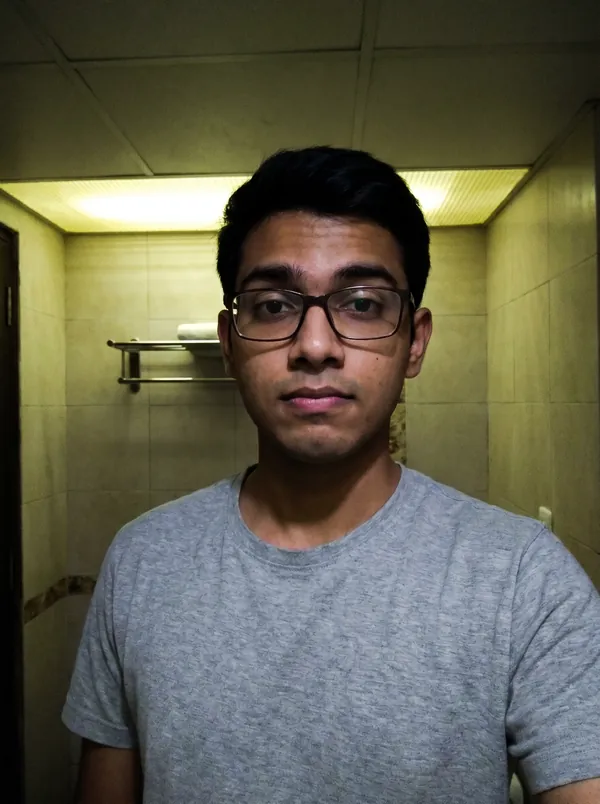 Before
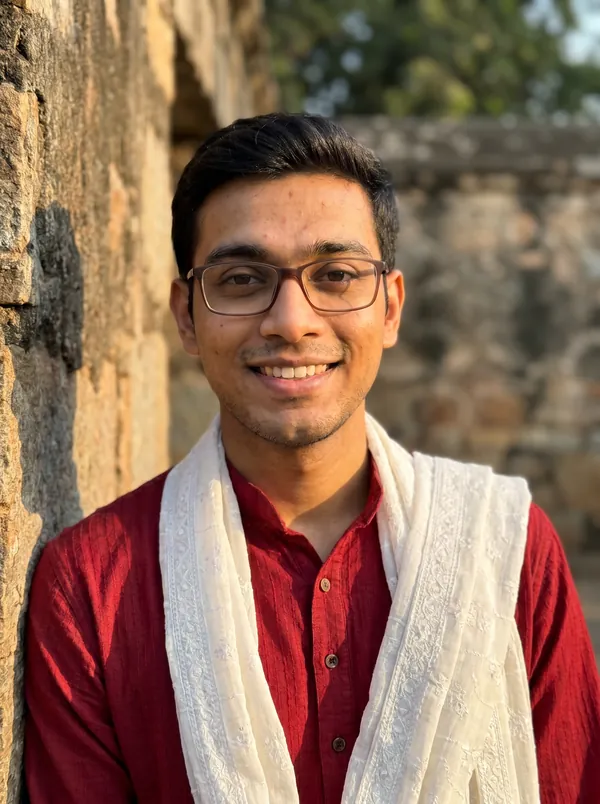 After
After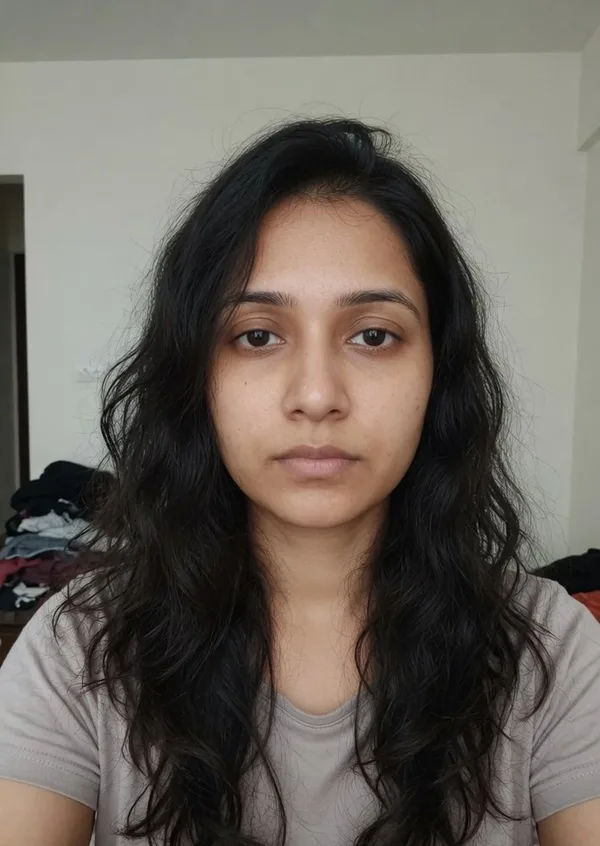 Before
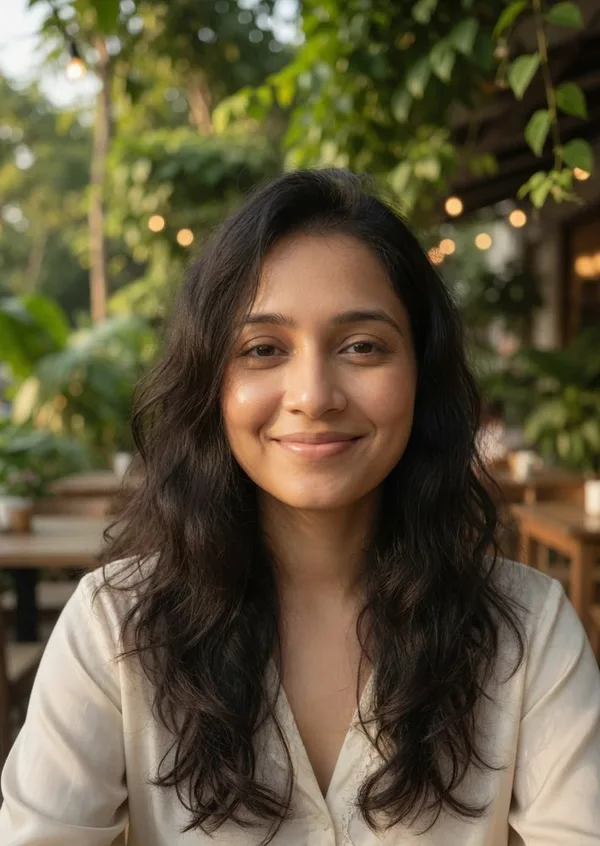 After
After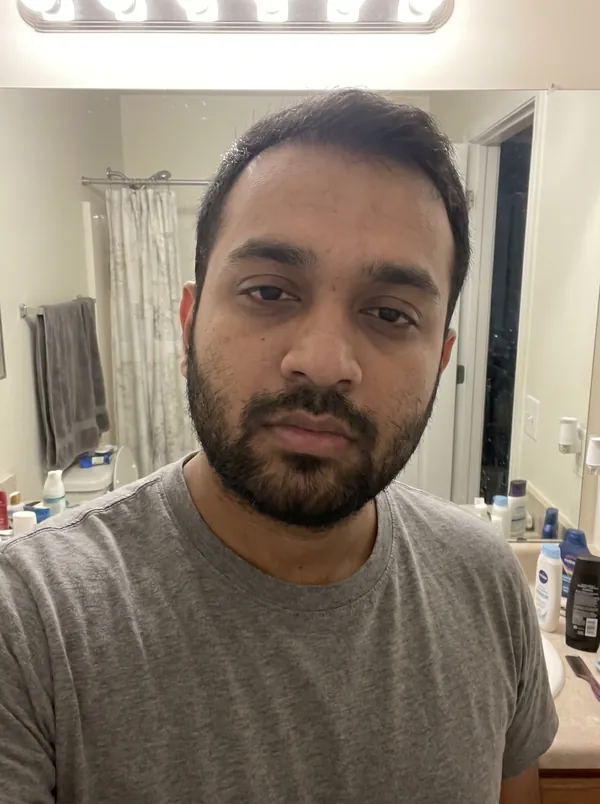 Before
 After
AfterGet a biodata-ready photo in minutes
Skip the studio appointment. Muse & Match turns a few plain selfies into clear, respectable, studio-quality photos — a headshot and a full-length — that look right on a marriage biodata and work across Shaadi.com, Jeevansathi and BharatMatrimony.
Not feeling your set? We’ll redo your photos free until you’ve got shots you’re proud to post.
Common questions
- What size should a marriage biodata photo be?
- A clear portrait (roughly passport-to-postcard proportions) placed at the top of the biodata works best — big enough to see the face clearly without crowding the text. A common layout is one portrait headshot at the top, with an optional full-length photo added below or on a second page. Keep it high-resolution so it stays sharp when printed.
- How many photos should a biodata have?
- One strong, clear headshot is essential. Adding a full-length photo in well-fitted clothes makes the biodata noticeably stronger, since families want a sense of height and overall presentation. One or two is plenty — quality and clarity matter far more than quantity.
- Should I use a professional studio photo for my biodata?
- You need studio-quality light and clarity, but not necessarily a studio visit. A studio matrimony shoot costs ₹3,000–10,000 plus scheduling and awkward posing. AI photo tools like Muse & Match produce the same clear, well-lit, respectable photo from a few plain selfies in minutes, at a fraction of the cost — and give you a headshot and a full-length to complete the biodata.
- Can I use a selfie for a marriage biodata?
- A raw arm’s-length selfie reads as low effort on a biodata. But a good selfie can be the starting point: Muse & Match turns plain selfies into clear, respectable, studio-quality photos that look right on a biodata, while keeping your real face and features.
- Which marriage biodata maker should I use?
- Any clean, readable format works — free options like Canva’s marriage biodata templates or a simple Google Docs/Word layout are perfectly fine, and paid biodata-maker apps don’t make a biodata stronger. What actually decides the response is the photo at the top: get that right first, then drop it into whichever template your family prefers.
More guides
- Matrimony Profile Photo Guide: Shaadi.com, Jeevansathi & BharatMatrimony
- Not Getting Matches on Dating Apps? It’s Almost Always Your Photos
- Best Dating App Photos for Indian Men: What Actually Gets Matches
- Matrimony Profile Photos for Women: What Actually Gets Interest
- Matrimony Profile Photos for Men: What Actually Gets Interest
- All guides